autumn-team
 Fabrizio Reale
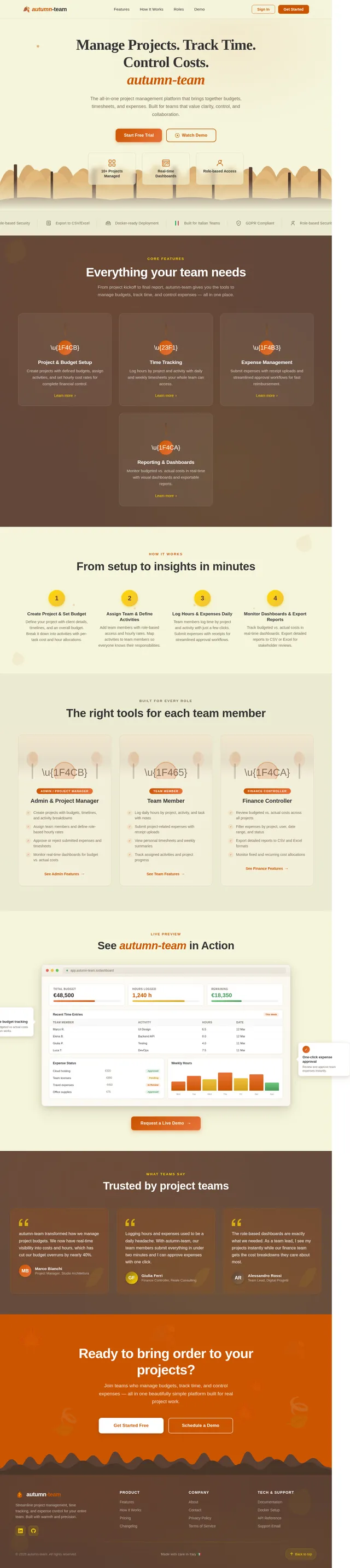
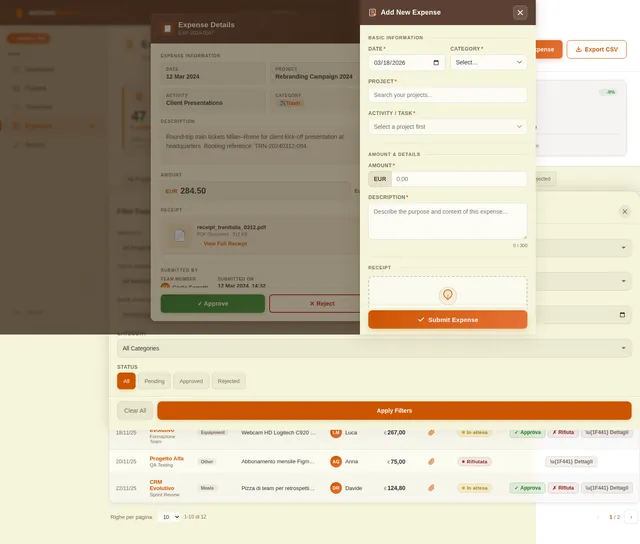
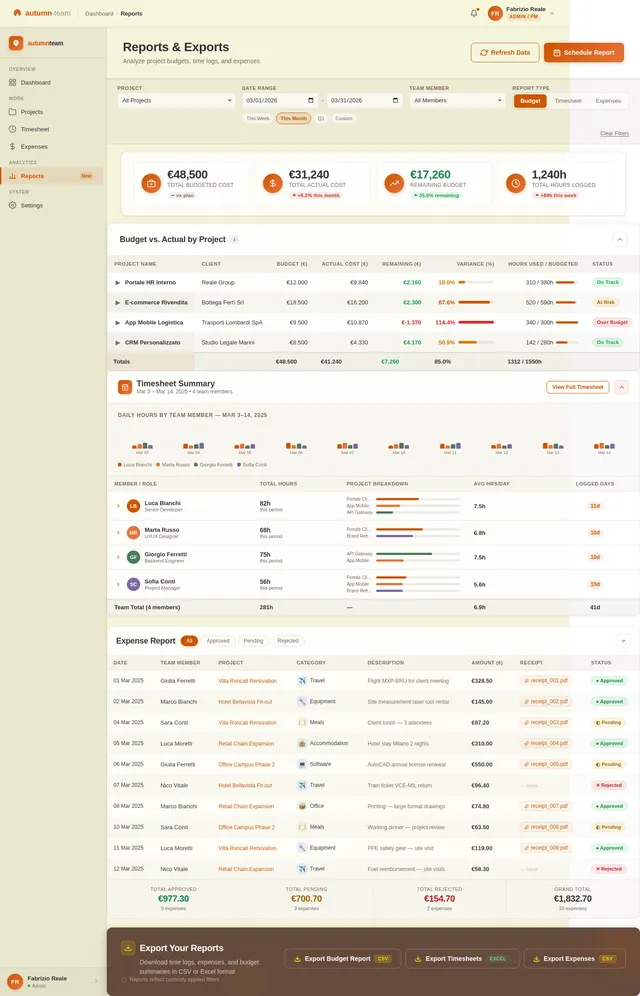
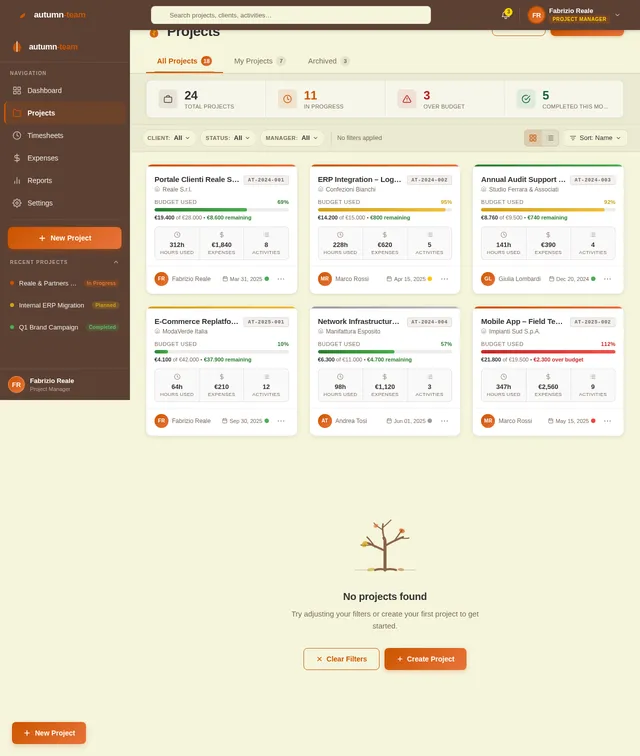
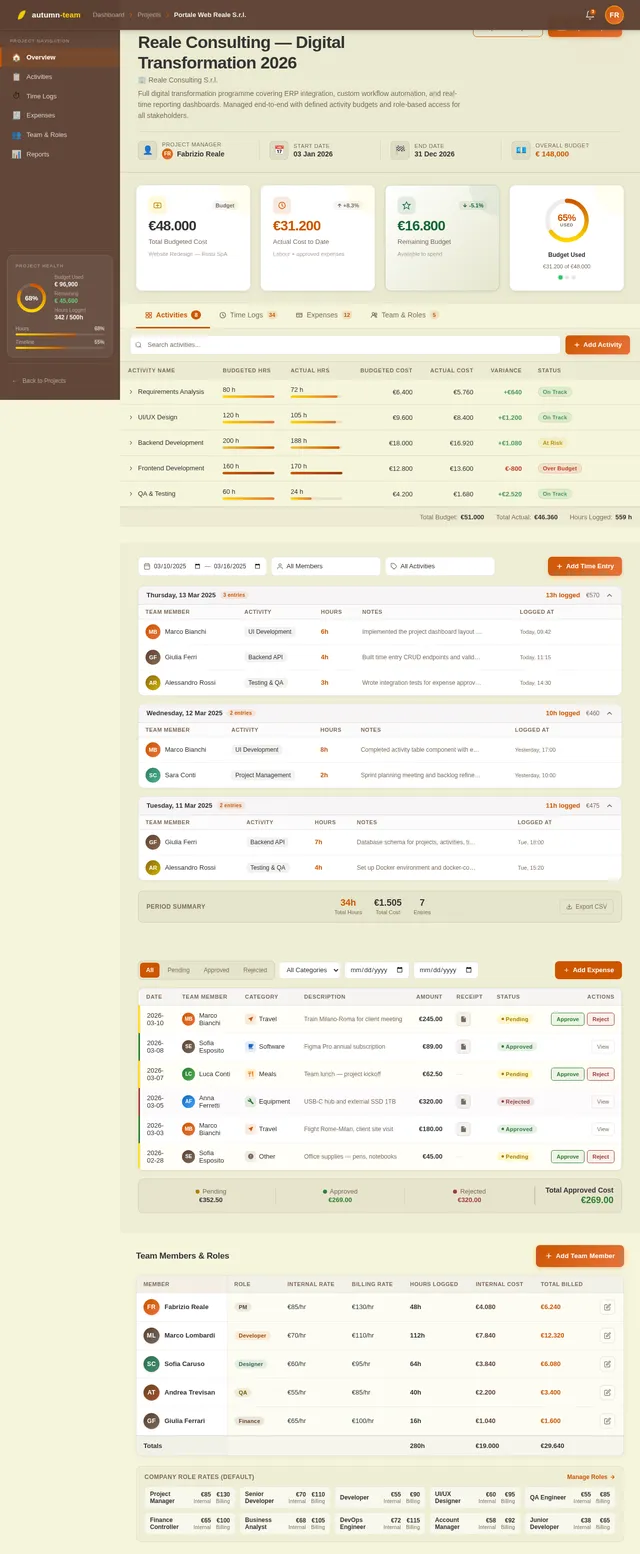
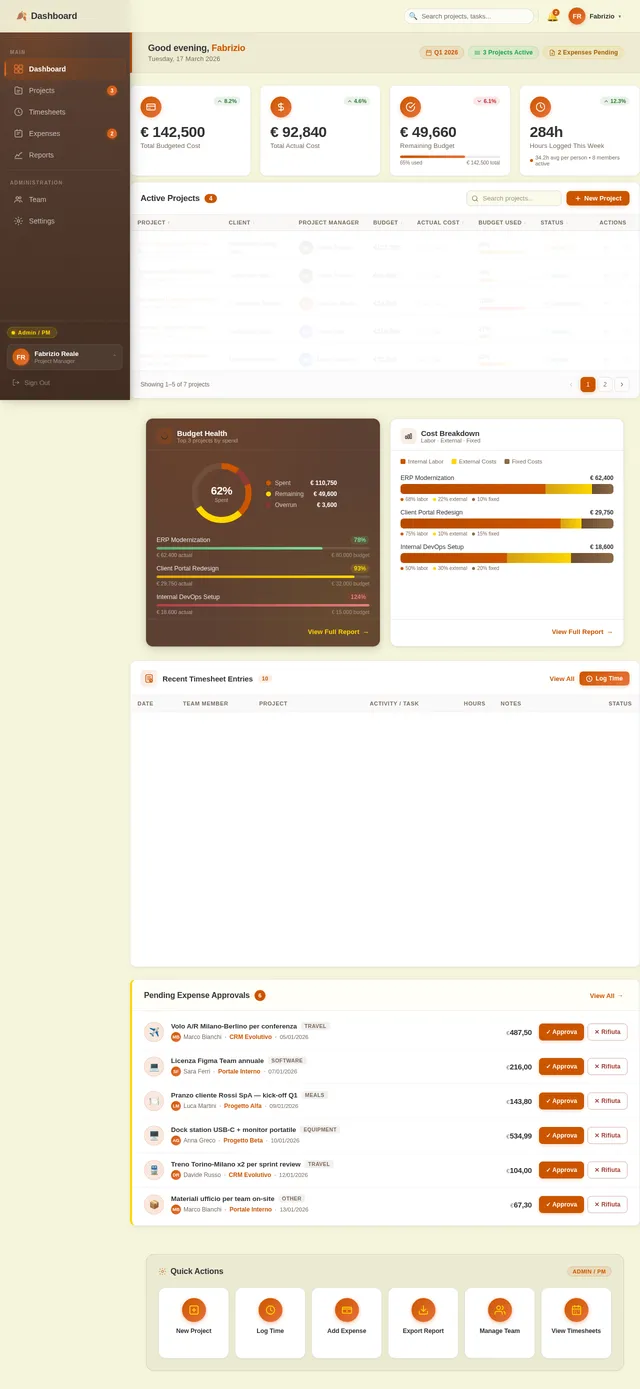
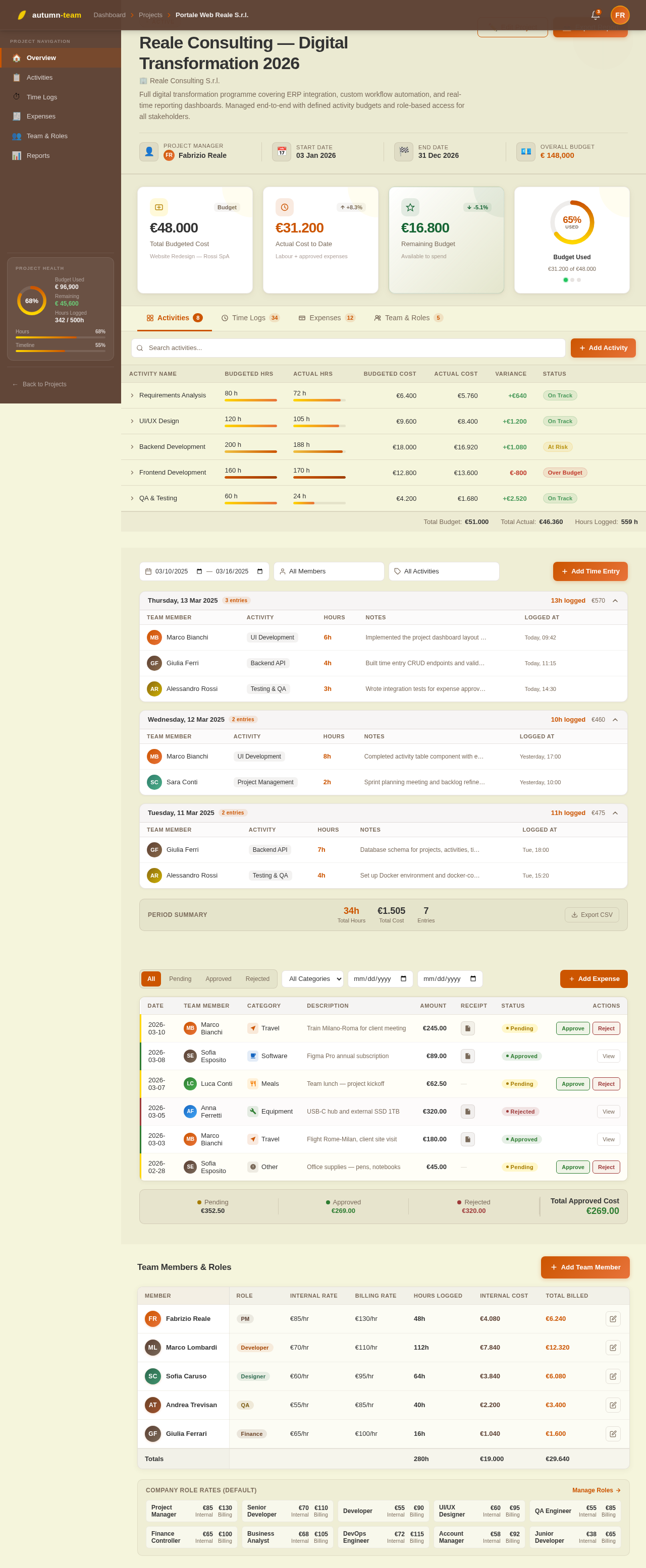
Here is a clean, structured prompt you can paste into an AI coding tool to generate your application. *** ## Project Title Team Work, Time, and Cost Tracking Tool ## Goal Build a web application that lets companies define projects with detailed cost structures, track teams’ hours and expenses, and always see remaining budget and project status in real time. [mastt](https://www.mastt.com/resources/project-cost-template) *** ## User Roles 1. Admin / Project Manager - Creates and edits clients and projects. - Defines budgets, activities, and cost rates. - Views all reports and dashboards. 2. Team Member / Operative - Sees only the projects/activities assigned to them. - Logs worked hours and project-related expenses. - Can see their own timesheets and expense history. 3. Finance / Controller (optional role) - Views cost and margin dashboards. - Exports data to accounting/invoicing systems. *** ## Core Concepts and Data 1. Client - Name, reference code. - Contact info (basic). 2. Project - Client. - Name, code, description. - Start date, end date (planned). - Overall budget (total), currency. - Status: Planned, In progress, On hold, Completed, Cancelled. - Project manager (user). 3. Activity / Task - Project. - Name, code. - Type: Billable / Non-billable. - Planned start/end dates. - Budgeted hours. - Budgeted cost (labor + fixed). - Optional cost code / category. [enerpize](https://www.enerpize.com/templates/project-cost) 4. Roles and Rates - Role (e.g., Developer, PM, Designer). - Internal cost rate per hour. - Billing rate per hour (optional). 5. Time Entry (Timesheet) - User. - Date. - Project. - Activity / Task. - Hours worked. - Optional notes. 6. Expense Entry - User. - Date. - Project. - Activity / Task (optional). - Category (travel, software, materials, etc.). - Amount, currency. - Description. - Receipt file upload (optional). - Status: Draft, Submitted, Approved, Rejected. [connecteam](https://connecteam.com/best-time-and-expense-tracking-software/) *** ## Functional Requirements ### A. Project and Budget Setup 1. Create/Edit Projects - Admin/PM can create projects with: client, name, description, dates, overall budget, project manager, status. - Attach activities/tasks with per-activity budgets in hours and cost. [slideshare](https://www.slideshare.net/slideshow/easy-guide-to-project-cost-tracking-template-docx/274127045) 2. Define Cost Structure - Maintain a list of roles with internal hourly cost rates and (optionally) billing rates. - For each project, allow: - Default role rates. - Custom overrides per project (e.g., higher rate for specific client). 3. Fixed Costs - Allow adding fixed costs to a project or a specific activity: - Name, category, planned amount, date. - Mark as one-off or recurring (e.g., monthly license). - Track planned vs actual for fixed costs. [mastt](https://www.mastt.com/resources/project-cost-template) 4. Work Breakdown / Activities - For each project, define activities/tasks with: - Budgeted hours per role or total hours. - Budgeted fixed costs. - Optional simple hierarchy (Phase → Task) is enough. *** ### B. Time Tracking 1. Time Entry - Team members can log hours by: date, project, activity/task, hours, notes. [getharvest](https://www.getharvest.com/blog/guide-to-time-and-expense-tracking) - Two modes are acceptable: - Manual entry (fill in fields). - Optional start/stop timer (if easy to implement). 2. Validation - Prevent logging time on closed/completed projects. - Configurable max hours per day per user (e.g., warn if > 12 hours). 3. Timesheet Views - Daily and weekly view for each user. - Users can filter by project and date range. - Project managers can view timesheets for their project team. *** ### C. Expense Tracking 1. Expense Entry - Team members can add project-related expenses with: date, project, optional activity, category, amount, description, and receipt upload. [blog.data-basics](https://blog.data-basics.com/the-ultimate-guide-to-time-and-expense-software) - Multi-currency support is a plus; base currency stored on project. 2. Approval Workflow - Statuses: Draft → Submitted → Approved/Rejected. - Project Manager (or Finance) can approve/reject expenses. - Approved expenses count toward actual costs of the project. 3. Expense Lists - Filterable list by project, user, date range, status, category. - Export to CSV/Excel. *** ### D. Budget, Remaining Budget, and Status 1. Budget Calculation Logic - For each project and activity, calculate: - Budgeted hours and budgeted labor cost (hours × role rate). - Budgeted fixed costs. - Total budgeted cost = labor + fixed. - Actuals: - Actual hours (sum of timesheets). - Actual labor cost (hours × relevant role rate). - Actual fixed/expense cost (approved expenses + recorded fixed costs). - Remaining budget = Budgeted total − Actual total. - Variance (absolute and percentage). [jotform](https://www.jotform.com/board-templates/project-cost-tracking-template) 2. Project Status Indicators - Show per project: - Budget used (%). - Hours used (%). - Timeline (today vs end date). - Simple traffic light logic: - Green: within budget (e.g., < 80%) and time. - Yellow: between 80–100% budget or close to end date. - Red: exceeds budget or overdue. 3. Activity-Level View - For each activity/task: planned vs actual hours and costs, remaining budget and variance. *** ### E. Reporting and Dashboards 1. Project Dashboard (for PMs and Admin) - List of all projects with: - Client, PM, status. - Budgeted cost, actual cost to date, remaining budget, variance. - Budget used (%). - Filters: by client, PM, status, date range. [scribd](https://www.scribd.com/document/503928692/IC-Project-Tracking-Template-8640-V1) 2. Detailed Project View - Tabs: - Overview: main KPIs (budget vs actual, remaining budget, status). - Activities: table of tasks with planned vs actual hours & costs. - Time: list or summary of timesheet entries. - Expenses: list or summary of expenses. 3. Time and Expense Reports - By user: hours and costs by period and project. - By project: hours, labor cost, expenses, total. - Exportable to CSV/Excel. *** ### F. Non-Functional Requirements 1. Platform & Tech (you decide, but specify) - Web-based application, responsive UI (desktop first, mobile-friendly). - REST or GraphQL API for all main entities (projects, time entries, expenses, reports). 2. Performance - List views and dashboards should load under 2 seconds for typical data sets. - Reports for a single project should generate under 5 seconds. [dataforest](https://dataforest.ai/blog/software-requirements-specification-understandable-framework) 3. Security & Access Control - Authentication with email/password (and ready to plug SSO in future). - Role-based permissions: Admin, PM, Team Member, Finance. - Data isolation per organization (future multi-tenant ready). 4. Auditability - Track who created/updated/deleted time entries and expenses. - Log status changes for expenses (who approved/rejected and when). [blog.data-basics](https://blog.data-basics.com/the-ultimate-guide-to-time-and-expense-software) *** ### G. Nice-to-Have Features (If time allows) 1. Invoicing Prep - Generate a summarized “billable time & expenses” report per client and project. - Show billable amount based on billing rates. 2. Integrations (future-ready) - Webhooks or basic API endpoints for integration with accounting/CRM. 3. Simple Notifications - Email or in-app alerts when: - Budget reaches certain thresholds (e.g., 80%, 100%). - Expenses are submitted/approved. *** ### Deliverables - Database schema or migration scripts. - Backend API. - Frontend UI for all roles. - Basic test data and instructions to run the app locally (e.g., Docker or simple setup). ***
Comments (0)
Sign in to leave a comment
No comments yet. Be the first!